AI Flowchart
Create flowcharts, sequence, ER and UML diagrams from chat as editable boards
- Pricing
- Freemium
- Platforms
- Web, vscode, API
- Runs
- Remotely
- Version
- 1.1.0
- Listing updated
- 1 day ago
About AI Flowchart
AI Flowchart is a freemium MCP server for design and media. It runs as a hosted remote server, so there is nothing to install locally.
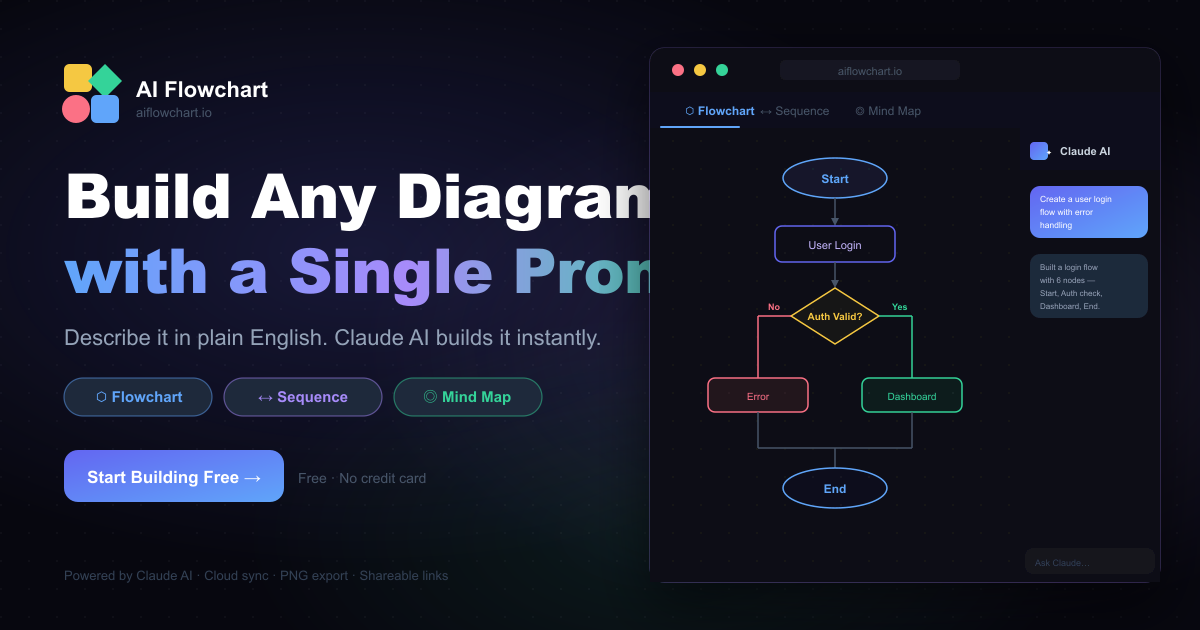
Diagrams made through this server land as editable, presentable boards in your AI Flowchart account rather than as static images. The create tool covers 14 diagram types from a text description and can also take Mermaid code. There are also board types for mind maps and Gantt charts, and the site lists 17 board types overall.
A second tool reads source code and produces a flowchart together with a step-by-step dry run, which is handy for explaining a function or an unfamiliar code path. A template pair lists and opens from over 100 starting points.
It works with Claude Code, Cursor, VS Code and Windsurf over Streamable HTTP. The editor itself needs no account to try. Free use includes all board types, templates, presentation mode and PNG or PDF downloads, a free account adds AI credits, share links, PowerPoint and MP4, and Pro at $9.99 a month or $79.99 a year gives unlimited AI on the web and in the free VS Code extension.
Install
Run in a terminal
claude mcp add --transport http diagrams https://mcp.aiflowchart.io/mcpAdd to Settings → Connectors → Add custom connector
https://mcp.aiflowchart.io/mcpAdd to ~/.cursor/mcp.json
{
  "mcpServers": {
    "diagrams": {
      "url": "https://mcp.aiflowchart.io/mcp"
    }
  }
}Add to .vscode/mcp.json
{
  "servers": {
    "diagrams": {
      "type": "http",
      "url": "https://mcp.aiflowchart.io/mcp"
    }
  }
}
Add to ~/.codeium/windsurf/mcp_config.json
{
  "mcpServers": {
    "diagrams": {
      "serverUrl": "https://mcp.aiflowchart.io/mcp"
    }
  }
}
Add to your client's MCP settings (most use this shape)
{
  "mcpServers": {
    "diagrams": {
      "type": "http",
      "url": "https://mcp.aiflowchart.io/mcp"
    }
  }
}
Tools this server provides (4)
Taken from the project documentation; the running server may differ.
- create_diagram
- Create one of 14 diagram types from a description or Mermaid code
- code_to_flowchart
- Make a flowchart with a dry run from source code
- list_templates
- List diagram templates
- open_template
- Open a template as a board
What it does
- Many diagram types
- Creates 14 types from a description, plus Mermaid code input.
- Code to flowchart
- Turns source code into a flowchart with a step-by-step dry run.
- Template library
- Lists and opens over 100 templates.
- Editable boards
- Results open as boards in your account, not flat images.
- Presentation mode
- Boards can be presented, with PNG and PDF downloads on the free tier.
- Editor integrations
- Works with Claude Code, Cursor, VS Code and Windsurf.
Good for
- Sketch a sequence or ER diagram from a prompt
- Explain a function by flowcharting it with a dry run
- Start a project plan from a Gantt or mind map template
- Present a diagram to a team from a shareable board
Pricing
Freemium, from $9.99 a month
Free tier; Pro $9.99/month or $79.99/year
Prices change. Check aiflowchart.io before you buy.
AI Flowchart FAQ
Is it free?
The editor can be tried free with no account; a free account adds AI credits and Pro is $9.99 a month or $79.99 a year for unlimited AI.
Which clients work?
Claude Code, Cursor, VS Code and Windsurf over Streamable HTTP.
Can it import Mermaid?
The create tool can take Mermaid code as well as a plain description.
What export options exist?
Free boards download as PNG or PDF; a free account adds PowerPoint and MP4.
Is AI Flowchart free?
AI Flowchart has a free plan, with paid plans for more usage or features. Paid plans start at $9.99 a month.
How do I add AI Flowchart to Claude Code?
Run this command in your terminal: claude mcp add --transport http diagrams https://mcp.aiflowchart.io/mcp
What are the best alternatives to AI Flowchart?
The closest alternatives to AI Flowchart are REA, HyperFrames by HeyGen, Codebase Memory, GitHub and Serena MCP: the IDE for your agent.
Alternatives to AI Flowchart

REA
MCP serverCLI and MCP server that lets coding agents reverse engineer apps and binaries
Runs locally- Open source
- 464K GitHub stars
- Developer tools

HyperFrames by HeyGen
MCP serverHosted MCP connector for creating and rendering videos from HTML through AI chat
- Remote
- Freemium
- 85.3K GitHub stars
- Design and media

Codebase Memory
MCP serverLocal MCP server that builds a code knowledge graph for AI coding agents
Runs locally- Open source
- 48.7K GitHub stars
- Knowledge and memory

GitHub
MCP serverOfficial MCP server connecting AI assistants to GitHub repos, issues and workflows
Not checked yet- Remote
- Open source
- 34.5K GitHub stars
- Developer tools

Serena MCP: the IDE for your agent
MCP serverMCP toolkit giving coding agents symbol-level code retrieval and editing
Runs locally- Open source
- 31.5K GitHub stars
- Developer tools

XERJ
MCP serverLocal search engine for AI agents with cited answers over your code and docs
Runs locally- Open source
- 19.2K GitHub stars
- Knowledge and memory