YouTube Summarized
Summarizes long YouTube videos with transcripts, chat and a saved library
- Platforms
- Web, Chrome extension
- Listing updated
- 1 day ago
Similar tools


About YouTube Summarized
YouTube Summarized is an AI tool for research. It is available on Web and Chrome extension.
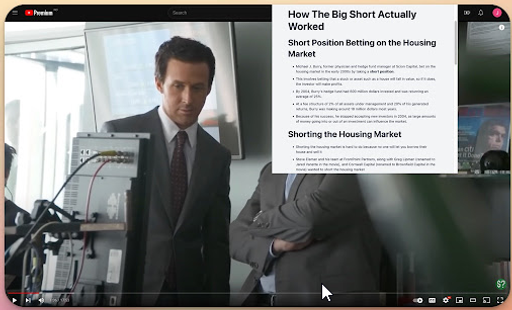
The README-free site for this tool centres on turning long YouTube videos into short key-point summaries, so you can decide whether a full watch is worth the time. Paste a video link and read the main idea first, then skim the important steps as brief notes.
Beyond the summary, each video opens into a shared workspace with a full transcript and a chat view for asking about the video's content. Videos, summaries, transcripts and chats are kept in a personal library so you can return to them later instead of reprocessing the link.
A browser extension for Chrome and Edge brings the same summary, transcript and chat tools onto YouTube itself while you browse. It suits students, researchers and anyone who regularly works through lectures, tutorials, interviews or explainers.
What it does
- Key point summaries
- Surfaces the main idea first, followed by short notes on the important steps.
- Full transcript access
- Opens the transcript alongside the summary for the same video.
- Chat with a video
- Lets you ask questions about the video content from within the workspace.
- Personal video library
- Saves videos with their summaries, transcripts and chats for later return.
- Browser extension
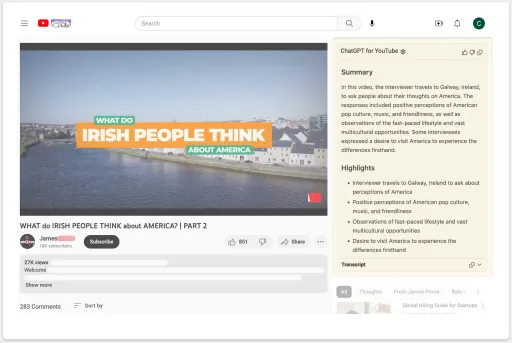
- Adds summary, transcript and chat tools directly on YouTube in Chrome or Edge.
Good for
- Decide whether a long lecture or tutorial is worth watching in full
- Review study material such as recorded lectures without rewatching everything
- Pull key points from interviews or explainers while browsing YouTube
- Keep a reference library of saved videos with notes and transcripts
YouTube Summarized FAQ
What kind of YouTube videos can I summarize?
The site says it works well for lectures, tutorials, interviews, explainers and other longer videos.
Can I save my summaries for later?
Yes. Videos, summaries, transcripts and chats are saved to a personal library.
Is there a browser extension?
Yes, it is available for Chrome or Edge and works while you watch YouTube.
Do I get a transcript too?
Yes. The transcript opens alongside the summary, and chat is available for the video.
What are the best alternatives to YouTube Summarized?
The closest alternatives to YouTube Summarized are Videohighlight, ChatGPT for YouTube, You-tldr, Scrivvy and Wordtune Read.
Where this comes from
- Description: written from the project's website.