Steve AI
Text, script and audio to AI video maker for marketers, educators and creators
- Pricing
- Freemium
- Platforms
- Web, iOS
- Listing updated
- 2 days ago
Similar tools


About Steve AI
Steve AI is a freemium AI tool for text-to-video. It is available on Web and iOS.
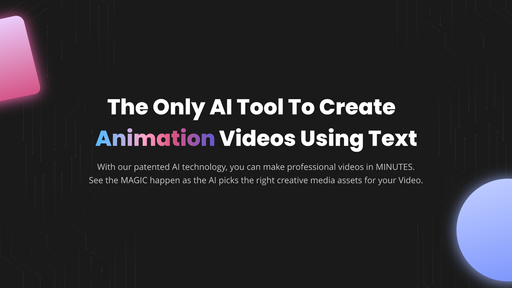
The Steve AI site describes a browser-based video maker that starts from a prompt, script, blog post, audio clip or image and produces a finished video with visuals, narration and transitions. Users can pick between generative AI, live action and animated styles, and the page lists multi-voice narration, motion effects and automatic captioning-style features among the options.
The workflow is built around an advisor-style prompter that turns a rough idea into a script before rendering, so users without a storyboard or editing background can start from a single sentence. Templates and short-form clip generation are aimed at turning a tweet, image or article into a short animated video.
The product targets social media marketers, YouTube creators, and L&D or education teams that need training and explainer videos quickly. Subscription tiers differ in monthly video minutes, image credits, resolution and watermark removal, with add-on credits for premium assets.
What it does
- Prompt to video
- Generates a script and a finished video from a short idea or pasted text.
- Multiple video styles
- Offers generative AI, live action and animated output formats.
- Multi-voice narration
- Adds several AI voices to a script for dialogue-style videos.
- Motion effects
- Applies zooms, camera movement and kinetic text to static visuals.
- Clip generation
- Turns a tweet, image or blog post into a short animated clip.
- Video translation
- Translates video content into 10+ languages, according to the site.
- Mobile app
- An iOS app lets users create and edit videos on the go.
Good for
- Turning a blog post or script into a social media video
- Producing explainer and training videos without a production team
- Creating UGC-style ads with multiple AI voices
- Making short animated clips from images or tweets
- Building kids' storybook or educational videos from a text outline
Pricing
Freemium
Free plan with monthly credits; paid tiers add minutes, resolution and watermark removal; FlexiCredits add-ons
Prices change. Check steve.ai before you buy.
Steve AI FAQ
Is there a free plan?
Yes. The site describes a free plan with monthly credits for text to video and prompt to video, with downloads limited compared with paid plans.
Is there an iOS app?
Yes, the site's FAQ mentions an iOS app for creating and editing videos on mobile.
How is user data handled?
The site states GDPR compliance, ISO 27001 certification and third-party risk management through CyberGRX.
What do paid plans unlock?
According to the FAQ, paid plans unlock HD exports, watermark-free videos and higher download limits.
Is Steve AI free?
Steve AI has a free plan, with paid plans for more usage or features.
What are the best alternatives to Steve AI?
The closest alternatives to Steve AI are Pictory, Synthesia, Captions, Subtitle Generator and WOXO VidGPT.
Where this comes from
- Description: written from the project's website.