SheetAI
Bulk AI text, images, video and music inside Google Sheets, for spreadsheet-heavy teams
SheetAI is a freemium AI tool for generative code. It is available on Web.
- Pricing
- Freemium
- Platforms
- Web
- Listing updated
Similar tools

About SheetAI
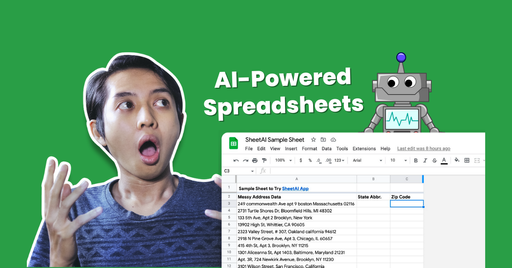
The README-free product page centres on a Google Sheets add-on that lets you call AI models from ordinary cell formulas. You type a prompt-style formula in one row, drag it down, and each row is filled with generated text or an image, which removes the copy-and-paste loop with a chat window.
SheetAI can run on your own keys for OpenAI, Claude, Gemini, Grok or Replicate, billed by those providers directly, or on a hosted plan that needs no keys. For media, it connects to Replicate models to produce images, short video clips and music or audio tracks, one per row, with the outputs staying alongside the source data.
It suits people whose work already lives in sheets, such as marketers producing ad copy and product visuals, analysts cleaning or classifying data, and sales or HR teams processing lists. The pricing page says a license is tied to one Google Account email rather than a device.
What it does
- Formula-based bulk generation
- Write one AI formula in a cell and drag it down to run it against every row.
- Text and image formulas
- Built-in functions produce text answers and per-row images from your sheet data.
- Replicate media models
- Generate images, video clips and audio through Replicate models connected to the add-on.
- Bring your own API key
- Use OpenAI, Claude, Gemini, Grok or Replicate keys, with model costs billed by the provider.
- Hosted plan option
- Skip key setup with a hosted plan, priced from $12 a month according to the FAQ.
- Token usage reporting
- An activity view shows the tokens charged per request, and repeated queries reuse stored results.
Good for
- Writing product descriptions and SEO titles for a catalogue
- Generating ad headlines and primary text for many offers at once
- Creating product images or short clips for each row of a campaign sheet
- Translating or classifying large lists of records inside a sheet
- Drafting review replies or summaries from a column of source text
Pricing
Freemium, from $12 a month
Free with your own API key; hosted plans from $12/mo; credit packs available.
Prices change. Check sheetai.app before you buy.
SheetAI FAQ
Do I need an API key to use SheetAI?
No. You can use SheetAI with your own OpenAI, Claude, Gemini, Grok or Replicate key and pay those providers directly, or pick a hosted plan from $12 a month and skip the keys.
How do I fill a whole column with AI in Google Sheets?
Type the SHEETAI formula with your prompt in the first row, then drag the cell down so every row runs the prompt with its own data.
Can SheetAI make images, video and music?
Yes. The SHEETAI_IMAGE formula generates an image per row, and video and music run through Replicate.
Does SheetAI look at or share my data?
The site says it does not look at or share customer data and only stores what the add-on needs to work.
Is SheetAI free?
SheetAI has a free plan, with paid plans for more usage or features. Paid plans start at $12 a month.
What are the best alternatives to SheetAI?
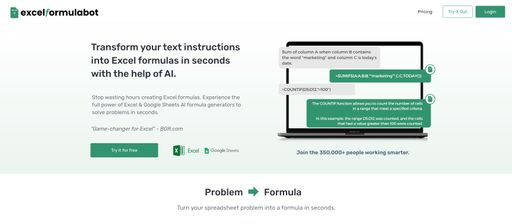
The closest alternatives to SheetAI are Flowshot, Excel Formula Bot, SheetGPT, Ajelix and GPTfy.
Where this comes from
- Description: written from the project's website.