
Sharly AI
AI research workspace to summarize, compare and cite documents with sources
Sharly AI is a freemium AI tool for productivity. It is available on Web.
- Pricing
- Freemium
- Platforms
- Web
- Listing updated
Similar tools

About Sharly AI
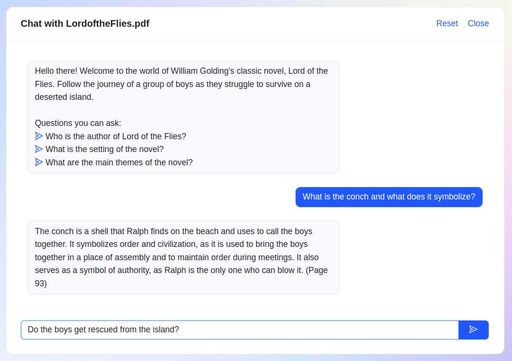
Sharly is a web workspace where you upload research files such as PDFs, Word documents, PowerPoint decks and Notion exports, then ask questions and get summaries with source references attached to each answer. Its citation features let you pick APA, MLA or Chicago formats, and answers can be restricted to your own uploads so the assistant does not draw on outside material.
The product also covers comparison work: it can line up key metrics across several documents and flag where claims conflict or data is missing. Teams can share workspaces, annotate answers and keep a citation history, with activity logs and role-based permissions on higher tiers.
The pricing page positions it for individual researchers, research teams and institutions with compliance needs. Files are described as encrypted with AES-256 at rest and TLS 1.3 in transit, and the Pro plan states that uploads are not used as training data for LLMs.
What it does
- Document summaries
- Generates summaries, key insights and highlights from uploaded documents shortly after upload.
- Cross-document comparison
- Compares metrics across several files and marks results as matching, conflicting or missing data.
- Source-linked answers
- Attaches references to answers so each claim can be checked against the original document.
- Citation format switching
- Lets users choose APA, MLA or Chicago citation styles from a dropdown.
- Docs-only answer mode
- Restricts responses to material the user has uploaded.
- Team workspaces
- Shared workspaces with annotations, notes and team-level answer review.
- Encrypted file storage
- Files are described as encrypted with AES-256 at rest and TLS 1.3 in transit.
Good for
- Summarizing long clinical trial or research reports before a review meeting
- Comparing assumptions and metrics across several analyst reports
- Checking claims in a literature review against their cited sources
- Preparing citations in a required academic style for a paper
- Sharing document-based findings and open questions with a research team
Pricing
Freemium, from $12.5 a month
Free plan with 5 docs/day; Pro from $12.5/mo; Team from $24/mo; Business custom
Prices change. Check sharly.ai before you buy.
Sharly AI FAQ
Is there a free plan?
Yes. The Free plan is listed at $0 for individual users and includes 5 documents per day, instant summaries and AI answers.
What does the Pro plan cost?
The Pro plan is listed at $12.5 per month and adds unlimited uploads, reasoning capabilities and advanced security protocols.
Are my uploaded files used to train AI models?
The pricing page says the Pro plan includes no training data for LLMs.
Which file types can be uploaded?
The site mentions PDF, DOCX, PPTX and Notion exports, and lists Google Docs and links among import options.
What are the best alternatives to Sharly AI?
The closest alternatives to Sharly AI are ChatPDF, B7Labs, Genei, ChatDOC and Locus.
Where this comes from
- Description: written from the project's website.