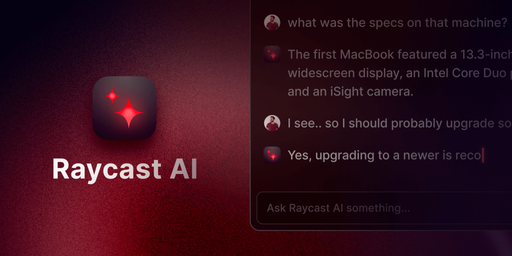
Raycast AI
Keyboard launcher for Mac and Windows with built-in AI chat and extensions
Raycast AI is a freemium AI tool for productivity. It is available on macOS, Windows and API.
- Pricing
- Freemium
- Platforms
- macOS, Windows, API
- Listing updated
Similar tools
About Raycast AI
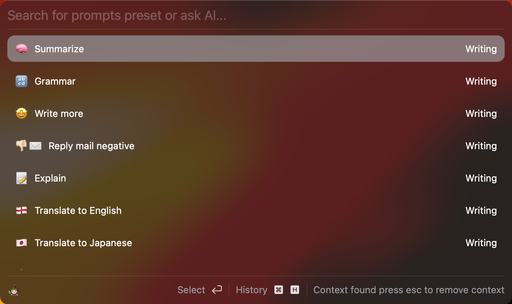
The README and site describe Raycast as an extendable launcher that bundles app launching, file search, window management and AI chat into one keyboard-driven interface. Its AI features draw on the other tools a user already connects, such as Notion, Jira, Todoist and Chrome tabs, so answers and actions can reference that work without switching apps.
Beyond the built-in tools, the launcher relies on a large catalogue of community and vendor extensions, from password lookup via 1Password to playback control for music apps. Users can also add snippets, quicklinks, hotkeys and aliases to automate repeated steps.
The product is aimed at people who spend much of the day on a computer and want fewer context switches. Developers can build their own extensions with the company's API, which supports both macOS and Windows.
What it does
- Extensible launcher
- A single keyboard-first window launches apps, searches files and runs commands from installed extensions.
- Integrated AI chat
- Chat with AI models from the launcher and use AI extensions that act on connected tools.
- Snippets and quicklinks
- Save reusable text under a keyword and create shortcuts that open apps, pages or commands.
- Third-party integrations
- Extensions connect to services such as Notion, Jira, Todoist, Google Translate and 1Password.
- Window management
- Arrange and move application windows using keyboard commands.
- Developer extension API
- A typed API and UI component library let web developers build and publish extensions.
Good for
- Searching files, apps and open browser tabs without leaving the keyboard
- Asking an AI model questions while working in other apps
- Creating and checking tasks in Jira, Notion or Todoist from one place
- Automating repeated text entry with snippets and hotkeys
- Building and sharing a custom extension for a team's internal tools
Pricing
Freemium
Free for personal use; paid Pro plan and Team plans with AI credits.
Prices change. Check raycast.com before you buy.
Raycast AI FAQ
Which operating systems does Raycast support?
The website lists Mac and Windows. The macOS version is stated to require macOS Tahoe and Apple Silicon.
Is Raycast free for personal use?
The pricing page includes a question asking why Raycast is free for personal use, and it links to the Pro plan and AI credits information.
Can extensions be built by outside developers?
Yes. The site says anyone with web development skills can build extensions and submit them to the Raycast Store.
What are the best alternatives to Raycast AI?
The closest alternatives to Raycast AI are EasyChat AI, Writers brew, WriteMage, Auri.AI and Voila.
Where this comes from
- Description: written from the project's website.