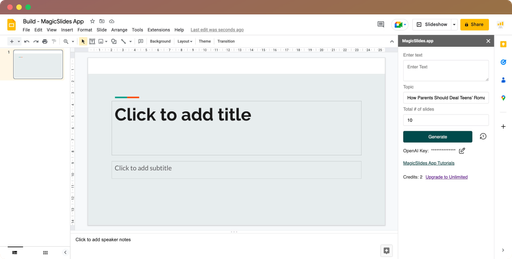
MagicSlides App
AI presentation maker that turns prompts, documents and videos into PowerPoint decks
- Pricing
- Freemium
- Platforms
- Web, Chrome extension, API
- Listing updated
- 1 day ago
Similar tools


About MagicSlides App
MagicSlides App is a freemium AI tool for copywriting. It is available on Web, Chrome extension and API.
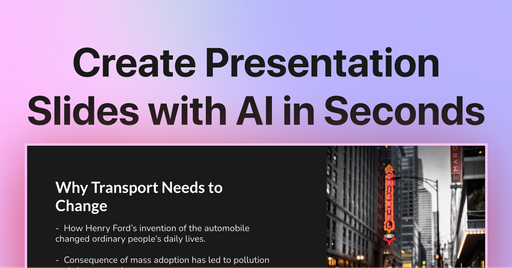
The README-free product site says it turns a topic, pasted text, uploaded PDF or YouTube link into a finished slide deck, with templates for pitch decks, SWOT and timeline slides, and output in 136+ languages. You can edit the result in PowerPoint, Google Slides or the in-app editor.
Beyond the single-deck generator, MagicSlides also offers an MCP connection so AI assistants such as Claude, ChatGPT or Cursor can request a designed deck and receive editor, PPTX and PDF links. The pricing page describes add-ons licensed per Google Account, and a separate API for developers.
The site aims its tools at teachers, students, consultants and founders who need a first draft quickly. Support covers installation, licensing and usage, but not custom features.
What it does
- Deck from any source
- Generates slides from a typed topic, pasted text, uploaded PDF or a YouTube link.
- Multilingual output
- Builds decks in 136+ languages, and can produce a copy in a different language.
- Editable PPTX export
- Results can be opened and edited in PowerPoint or Google Slides, or in the built-in editor.
- Slide type templates
- Ready layouts for pros and cons, timelines, SWOT analysis and bullet-plus-image slides.
- MCP connection for agents
- Lets AI clients such as Claude or Cursor request a deck and return editor, PPTX and PDF links.
Good for
- Turning lesson notes into a first-draft classroom deck
- Converting a long industry report into a short client summary slide set
- Drafting an investor pitch deck from an existing memo
- Recapping a recorded webinar as slides for people who missed it
- Producing the same presentation in several languages for different audiences
Pricing
Freemium
Plans for students, professionals and heavy use; pricing amounts not shown in the fetched content.
Prices change. Check magicslides.app before you buy.
MagicSlides App FAQ
What languages are supported by MagicSlides AI PPT maker?
The site says it works in 136+ languages, including Hindi, Arabic and Japanese.
Does MagicSlides work with both Google Slides and PowerPoint?
The site says decks can be edited in PowerPoint, Google Slides or directly in MagicSlides.
Can I choose a monthly subscription instead of a yearly one?
Yes, the pricing page has a toggle to switch to monthly billing.
Will I be able to cancel it later?
The pricing page says you can cancel anytime from the Stripe billing portal, and the subscription stays active until the end of the billing cycle.
What does a user mean for pricing?
The pricing page defines a user as one Google Account email address, and the license can be used on any computer while signed in with that address.
Is MagicSlides App free?
MagicSlides App has a free plan, with paid plans for more usage or features.
What are the best alternatives to MagicSlides App?
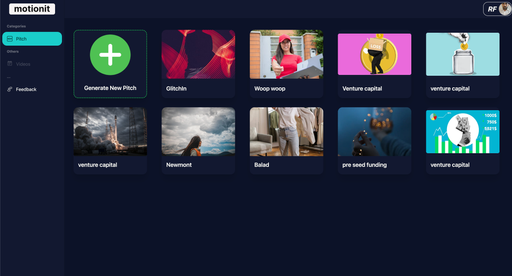
The closest alternatives to MagicSlides App are MotionIt AI, SlidesAI, Beautiful.ai, Powerpresent AI and SlidesGo.
Where this comes from
- Description: written from the project's website.