DiffusionBee
Local Stable Diffusion app for generating and editing AI art on your Mac
- Pricing
- Free
- Platforms
- macOS
- Listing updated
- today
Similar tools
About DiffusionBee
DiffusionBee is a free AI tool for generative art. It is available on macOS.
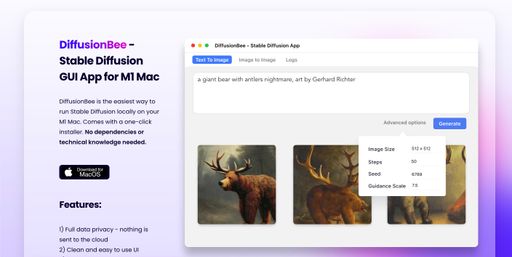
DiffusionBee packages Stable Diffusion into a desktop application so image generation runs on your own machine rather than in a remote service. The Mac app bundles text-to-image, image-to-image, inpainting-style object edits, upscaling, image variants, control-image composition and an illusion generator in one interface.
Beyond generation, it can train custom image models from a folder of your own pictures, which is useful when you want consistent people, objects or visual styles. The developer states that prompts, models and generated images stay on the device. The README-style claims on the site say the app is free to use.
It suits artists, designers and hobbyists who want to experiment with diffusion models without a cloud account or per-image fees. Speed depends heavily on hardware: the site reports about 30 seconds per image on an 8GB M1 MacBook Air, and Intel machines without a dedicated GPU are noticeably slower.
What it does
- Local image generation
- Runs Stable Diffusion entirely on the computer, with prompts and outputs kept on the device.
- Multiple image tools
- Covers text-to-image, image-to-image, image variants, control images and upscaling in one app.
- Object add and remove
- Generative fill lets you add or remove objects within selected regions of an image.
- Custom model training
- Trains image models on your own dataset locally to capture specific objects, people or styles.
- Video tools
- Includes features for generating animations and short videos with AI.
- Illusion generator
- Creates illusion-style images from prompts and control inputs.
Good for
- Generate concept art and illustrations from text prompts on a Mac
- Edit existing photos by adding or removing objects in selected areas
- Train a custom model on a personal set of images for a consistent style or subject
- Upscale low-resolution images to sharper, higher-resolution versions
- Produce several variations of a single image to compare directions
Pricing
Free
Free of charge according to the website.
Prices change. Check diffusionbee.com before you buy.
DiffusionBee FAQ
Does DiffusionBee send my images to the cloud?
No. The site says images are generated locally and nothing is sent to the cloud, and that prompts, models and generated images never leave the device.
What are the minimum system requirements?
The site says it needs macOS 13.1 or higher, and Apple silicon machines are recommended.
Does it work on Intel Macs?
Yes, it works on Intel machines, but the site notes it is very slow compared to M1 machines without a dedicated graphics chip.
Can I use the images I generate commercially?
The site says generated images can be used freely as long as you comply with the CreativeML Open RAIL-M license.
Is DiffusionBee free?
Yes. DiffusionBee is free to use.
What are the best alternatives to DiffusionBee?
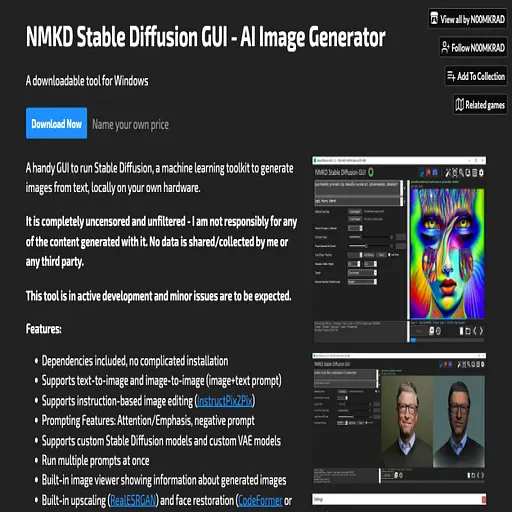
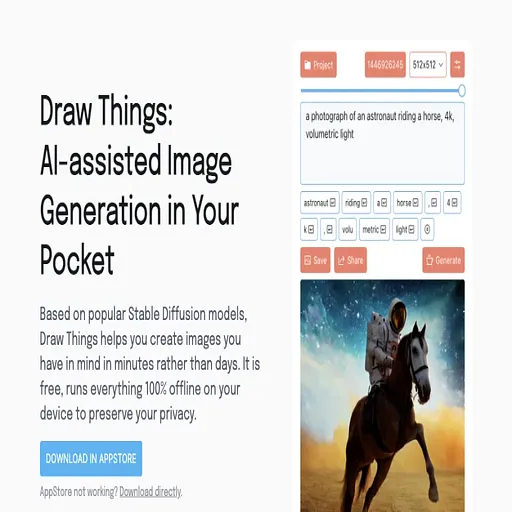
The closest alternatives to DiffusionBee are NMKD Stable Diffusion, BrainFever, Draw Things, Deep Dream Generator and Reimagine.
Where this comes from
- Description: written from the project's website.