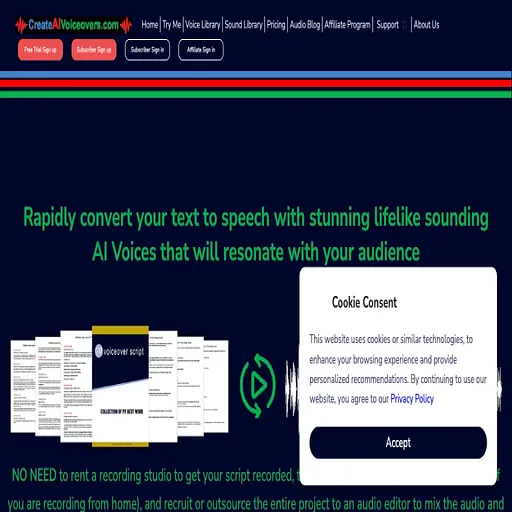
Createaivoiceovers
Free browser-based text-to-speech tool that turns scripts into WAV voiceovers
- Pricing
- Free
- Platforms
- Web
- Listing updated
- 2 days ago
Similar tools

About Createaivoiceovers
Createaivoiceovers is a free AI tool for voice. It is available on Web.
Createaivoiceovers is a web converter that reads typed or pasted text aloud using one of six AI voices and lets you download the result as a WAV file. The site notes that it supports English (US and UK voices), Russian, Spanish, French and German, and that longer scripts must be split into passages of up to 2,000 characters each.
Conversion happens inside the browser. On first use the page downloads a voice pack of roughly 29 to 64 MB, which can then be stored locally so later sessions start faster. According to the site, your text and generated audio are not sent to its servers, and you can cancel a run without losing the text you entered.
The tool suits creators who need a quick narration track for videos, podcasts, ads or course material and do not want to book studio time. Users who need very long documents, cloned voices or a hosted account with saved projects should check whether this simple converter covers their workflow.
What it does
- Six AI voices
- Offers six voice options across English, Russian, Spanish, French and German, with separate US and UK English voices.
- WAV audio download
- Generated speech can be downloaded as a WAV file for use in other editing software.
- Speaking style presets
- The site lists conversational, narrative, promotional, broadcast and biographical styles to guide delivery.
- Browser-side conversion
- Speech is generated on the user's device, and the site states that text and audio are not uploaded to its server.
- Text file upload
- Accepts pasted or typed text as well as plain-text TXT files.
- No sign-up required
- Voices, playback and downloads are available without an account or payment details.
Good for
- Recording a quick narration track for a short video or slideshow
- Generating voiceover drafts for online course lessons
- Turning a written script into an audio sample for an ad concept
- Producing short audio versions of articles or announcements
Pricing
Free
All voices, generation and WAV downloads are free; no account needed.
Prices change. Check createaivoiceovers.com before you buy.
Createaivoiceovers FAQ
Is text-to-speech conversion really free?
The site says all available voices, generation, playback and WAV downloads are free, and no account or payment details are required.
How much text can I convert at once?
Up to 2,000 characters at a time. For longer text the site suggests splitting it into shorter passages and converting each one separately.
Why does the first conversion take longer?
The browser must download the selected voice pack, about 29 to 64 MB, before generating audio. The pack can be saved in the browser for later use.
Which file formats are supported?
You can paste or type text or upload a plain-text TXT file, and the generated audio downloads as a WAV file.
Is Createaivoiceovers free?
Yes. Createaivoiceovers is free to use.
What are the best alternatives to Createaivoiceovers?
The closest alternatives to Createaivoiceovers are Narration Box, Verbatik, Speechelo, Revoicer and SpeechGen.
Where this comes from
- Description: written from the project's website.