Clipstudio
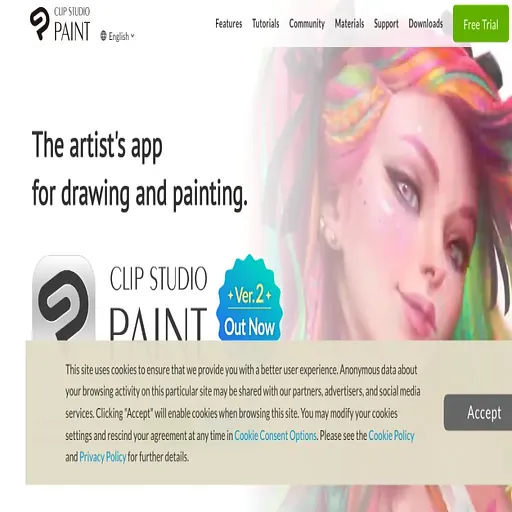
Digital drawing and painting app for illustrators, comic artists and animators
Clipstudio is an AI tool for 3d. It is available on Web, iOS, Android, macOS and Windows.
- Pricing
- Free trial
- Platforms
- Web, iOS, Android
- Listing updated
Similar tools


About Clipstudio
The Clip Studio Paint site presents the software as a drawing and painting program covering illustration, comics, and animation, with vector line layers and a set of 3D reference models. Its brush library is a notable part of the pitch, with the site citing thousands of free brushes and decoration brushes for backgrounds and props.
Beyond brushes, the page highlights tools for drawing guides and perspective rulers, a Hand Scanner that poses 3D hands from live camera video, Puppet Warp and Liquify for adjusting finished artwork, and layer features such as masking across layers and effects that can be undone later. Comic tools include panel frames, speech balloons, screentones and multi-page project management, while animation tools include a light table and onion-skin view.
The site positions the app for professional artists and studios, students and hobbyists, and it lists separate PRO and EX editions, with EX adding animation and comic features. Mobile versions run on iPad, iPhone and Android, and the same project can move between mobile and desktop.
What it does
- Vector line layers
- Lines stay editable after drawing, so thickness, position and intersections can be changed later.
- 3D reference models
- Posable 3D figures, hands and objects help with pose, proportion and lighting references.
- Comic production tools
- Panel frames, speech balloons, screentones and multi-page project management support comic work.
- Frame-based animation
- A light table and onion-skin view let artists check adjacent frames while animating.
- Warp and liquify editing
- Puppet Warp, Liquify and mesh transformation adjust artwork without redrawing it.
- Extensive brush library
- A large set of brushes, including watercolor, oil and decoration brushes, is available to add.
Good for
- Drawing character art and concept art with 3D reference figures
- Producing webtoons, manga and comic pages with multi-page layouts
- Creating frame-by-frame animations and simple GIFs
- Sketching and inking on a phone or tablet and continuing on a desktop
Pricing
Free trial
Free trial up to 6 months; monthly, annual or one-time perpetual licenses after.
Prices change. Check clipstudio.net before you buy.
Clipstudio FAQ
On which devices can I use Clip Studio Paint?
The site lists Windows, macOS, iPad, iPhone, and Android, and notes that a project can be continued across mobile and PC.
Is Clip Studio Paint free to use?
The site says there is a free trial of up to 6 months, after which monthly or annual plans are available, along with a one-time perpetual license for Windows and macOS.
What is the difference between PRO and EX?
EX includes all PRO features plus animation and comic features such as full-length animation tools, multi-page projects and webtoon tools.
What are the best alternatives to Clipstudio?
The closest alternatives to Clipstudio are Accomplice, Draw3D, Silly Times, PaintShop Pro and Draw Things.
Where this comes from
- Description: written from the project's website.