bigmp4
Web tool that upscales, denoises, colorizes and interpolates video, GIF and image batches
- Pricing
- Freemium
- Platforms
- Web, Windows, macOS
- Listing updated
- 3 days ago
Similar tools




About bigmp4
bigmp4 is a freemium AI tool for video editing. It is available on Web, Windows and macOS.
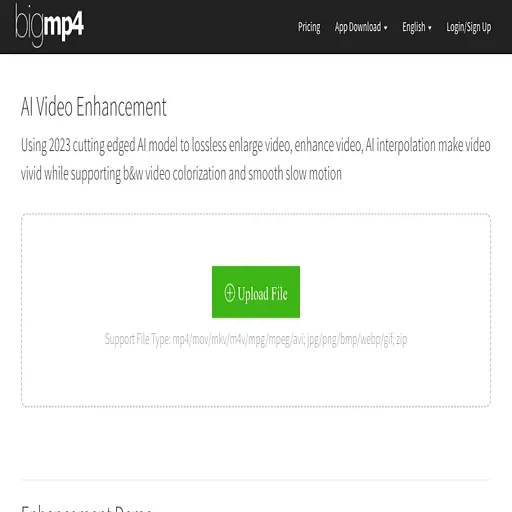
BigMP4 is a browser-based service for improving existing footage. You upload a video, GIF, single image or a zip of images, choose the enhancement you want, and download the processed result once the GPU job finishes. Jobs run on remote servers, so tasks keep going after you close the browser and you can check past runs in your task history.
The main operations are AI enlargement to 2K, 4K or 8K with noise reduction, colorization of black-and-white footage, frame interpolation that raises the frame rate to 60, 120 or 240 fps, and slow motion that keeps the original playback speed while smoothing motion. Processing time depends on frame count and settings rather than the progress bar, and interpolation roughly doubles the work for each doubling of frames.
The service uses a points model: free accounts receive a monthly allowance of GPU points, and paid bundles add more points and relax upload size limits and queue priority. It suits editors, archivists and hobbyists who want to restore old or low-resolution clips without installing software.
What it does
- AI video upscaling
- Enlarges video to 2K, 4K or 8K while applying AI noise reduction.
- Black-and-white colorization
- Adds color to monochrome video and image files.
- Frame rate interpolation
- Raises video frame rate to 60, 120 or 240 fps using AI-generated frames.
- Slow motion mode
- Creates smooth slow motion by interpolating frames while keeping the original fps.
- Batch zip processing
- Accepts a zip of images for bulk enlargement or colorization.
- GIF support
- Applies upscaling, colorization, interpolation or slow motion to GIF files.
Good for
- Restoring old black-and-white home video footage
- Upscaling low-resolution clips to 4K for re-use
- Smoothing choppy footage by increasing its frame rate
- Creating slow-motion shots from normal-speed video
- Batch enhancing a folder of photos or frames packaged as a zip
Pricing
Freemium, from $6 a month
Free plan with 30 GPU points monthly; paid bundles from $6 for 300 points
Prices change. Check bigmp4.com before you buy.
bigmp4 FAQ
What file types are supported?
Video in mp4, mov, m4v, mkv and avi; images in jpg, png, bmp, webp and gif; and zip archives.
How long does processing take?
The site says the progress bar does not show real progress. Time depends on frame count and settings, and AI interpolation doubles the frames and roughly the time.
Are uploaded files kept?
The site states uploaded and result files are automatically deleted within a week.
Are GPU points refunded for failed jobs?
Yes, the site says points are refunded after a failed task is deleted.
Is bigmp4 free?
bigmp4 has a free plan, with paid plans for more usage or features. Paid plans start at $6 a month.
What are the best alternatives to bigmp4?
The closest alternatives to bigmp4 are HitPaw Video Enhancer, Pixop, Akool and Captions.
Where this comes from
- Description: written from the project's website.