Embody - MCP Server for TouchDesigner
MCP server and TDXN text export that let AI agents build and version TouchDesigner
- Pricing
- Open source
- Platforms
- macOS, Windows, self-hosted
- Version
- 6.2.67
- Listing updated
- today
Similar MCP servers


About Embody - MCP Server for TouchDesigner
Embody - MCP Server for TouchDesigner is an open-source MCP server for developer tools. It is available on macOS, Windows, self-hosted and API.
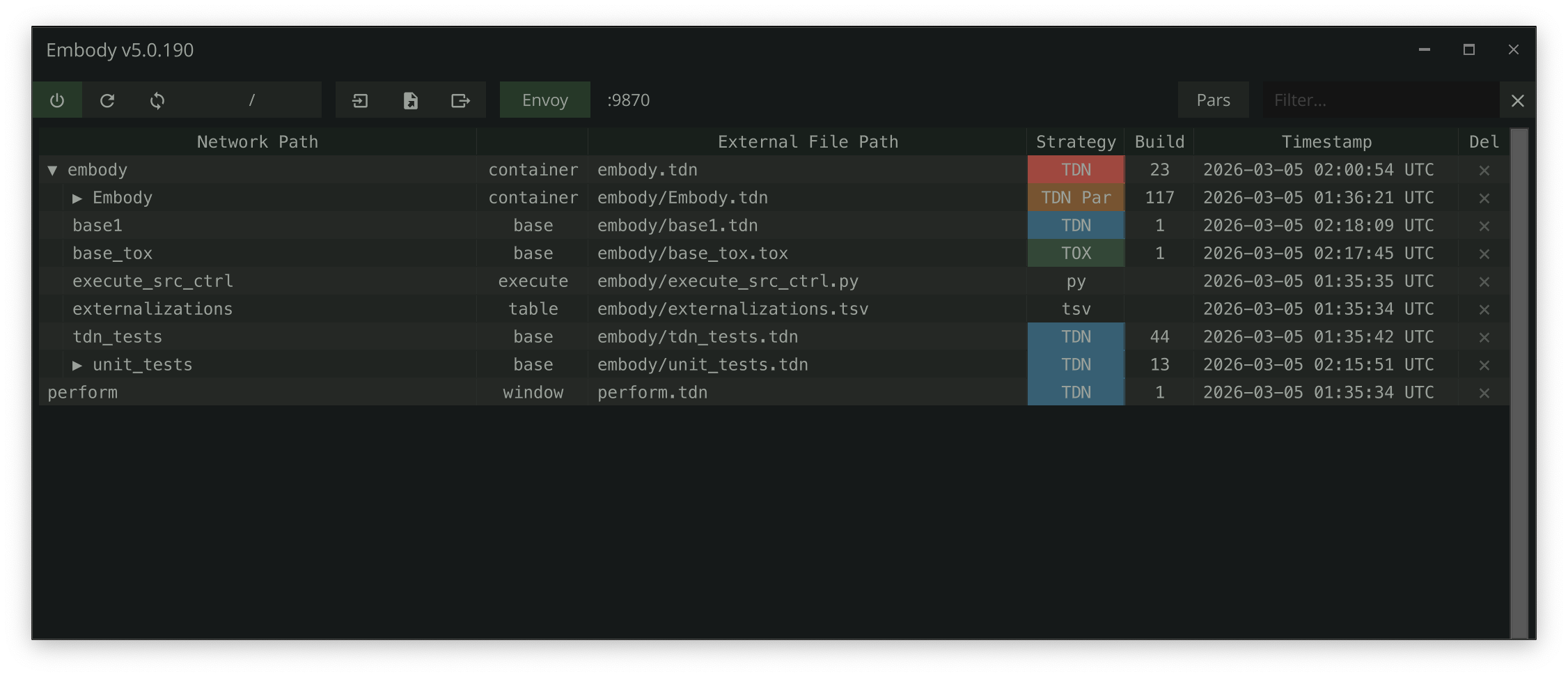
Embody is a TouchDesigner add-on that tags operators and writes them out to files on disk that version control can track. Its embedded Envoy server exposes around 70 MCP tools, so an AI coding assistant can create operators, wire connections, set parameters and read errors in a live TouchDesigner session rather than through copied code.
Networks can also be exported as TDXN, a human-readable YAML description of operators, parameters, connections and DAT content. The README says this lets an agent read a network, lets a person diff two attempts, and lets a network rebuild itself from text when a project opens. Externalized files are written on save, and the .toe stays authoritative by default unless Roundtrip mode is enabled.
The project suits TouchDesigner developers who already use Claude Code, Cursor, Windsurf, Gemini, Codex or GitHub Copilot and want to keep generated work in git. It requires TouchDesigner 2025.33230 or later and runs on macOS and Windows. The code is MIT-licensed and free to use.
Tools this server provides (7)
Taken from the project documentation; the running server may differ.
- create_op
- Create any operator type in any network
- set_parameter
- Set values, expressions, or bind modes on any parameter
- connect_ops
- Wire operators together
- execute_python
- Run arbitrary Python in TD's main thread
- export_network
- Export networks to diffable .tdxn YAML
- create_extension
- Scaffold a full extension (COMP + DAT + wiring)
- get_op_errors
- Inspect errors on any operator and its children
What it does
- Live network control
- Envoy's MCP tools create operators, set parameters, connect ops and run Python inside a running TouchDesigner session.
- Operator externalization
- Tagged operators are saved as files that mirror the network hierarchy, so changes can be diffed and restored.
- TDXN network format
- Networks export as single YAML files that agents, people and git can all read and compare.
- Error inspection
- An MCP tool reports errors on an operator and its children, helping an agent debug a network.
- Portable tox export
- Any component can be saved as a self-contained .tox with external references removed.
- Project Python environment
- Each project gets a .venv built against TouchDesigner's interpreter for packages used inside TD.
Good for
- Have an AI assistant build a TouchDesigner network from a written description
- Track and diff changes to a TouchDesigner project in git
- Debug render chains or errors by letting an agent inspect operator errors
- Restore an earlier state of a component from externalized files
- Export a finished component as a standalone .tox for another project
Pricing
Open source
Free and open source under the MIT License.
Prices change. Check embody.tools before you buy.
Embody - MCP Server for TouchDesigner FAQ
What version of TouchDesigner is required?
The README says TouchDesigner 2025.33230 or later is required, on Windows or macOS.
Which AI assistants can connect to Envoy?
The README lists Claude Code, Codex, OpenCode, Gemini, Cursor, Windsurf and GitHub Copilot via VS Code.
How many MCP tools does it expose?
The registry entry and README both describe 70 MCP tools.
What is the license?
The README and website state the project is released under the MIT License.
Is Embody - MCP Server for TouchDesigner free?
Yes. Embody - MCP Server for TouchDesigner is open source, so you can use and self-host it for free.
What are the best alternatives to Embody - MCP Server for TouchDesigner?
The closest alternatives to Embody - MCP Server for TouchDesigner are TouchDesigner Atlas, Beckett - MCP for Godot, OneTool MCP, unity-mcp and Unterm.
Where this comes from
- Description: written from the project's README, the project's website and its MCP Registry entry.