TimeTo vs Usemotion
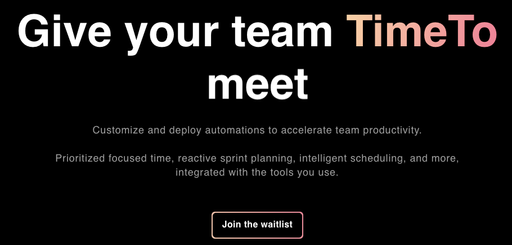
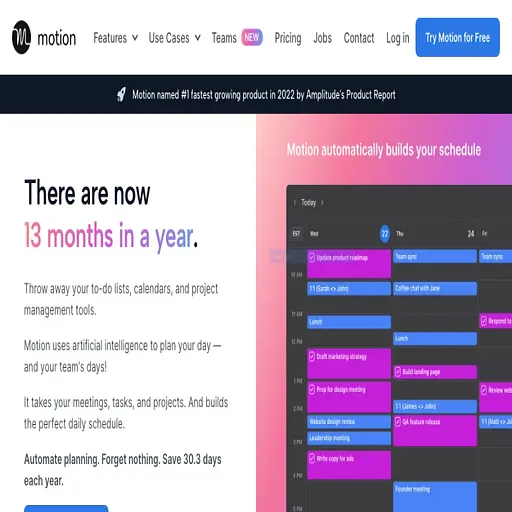
TimeTo is an AI tool for productivity. Usemotion is a paid AI tool for meeting assistant.
- TimeTo is free trial, while Usemotion is paid.
- TimeTo is best for time blocking a workweek around meetings and deadlines.
- Usemotion is best for planning a workday around a long list of competing tasks and deadlines.
- What it is
- TimeTo is an AI tool for productivity.Usemotion is a paid AI tool for meeting assistant.
- Best for
- Time blocking a workweek around meetings and deadlinesPlanning a workday around a long list of competing tasks and deadlines
- Kind
- ToolTool
- Pricing
- Free trial, from $10 a monthPaid, from $19 a month
- Platforms
- Web, iOS, Android, macOS, Windows, Linux, APIWeb, iOS, Android, macOS, Windows, API, Slack, teams, Chrome extension
- Good for
- Time blocking a workweek around meetings and deadlines; Merging work and personal calendars to avoid double-bookings; Letting clients or colleagues book time without back-and-forth emailsPlanning a workday around a long list of competing tasks and deadlines; Turning meeting recordings into summaries and follow-up action items; Generating a project with tasks and assignees from a written brief
What TimeTo does
Multi-calendar consolidation
Combines calendars from Google, Outlook, Apple, Fastmail and others into one view.
AI planner with approval
Suggests a daily plan from your frames and tasks, and you accept or adjust each change.
Automatic rescheduling
Moves tasks around when conflicts arise and flags tasks at risk of missing deadlines.
Task integration
Filters and schedules tasks from project management, to-do and PKM tools on the calendar.
Scheduling links
Shares booking pages that check availability against the calendars you select.
Calendar automations
Syncs events between calendars, adds travel time and buffers around meetings.
What Usemotion does
Automatic daily scheduling
Tasks are prioritised and timeblocked on the calendar, and the plan is recalculated as work changes.
AI project generation
A project description and optional documents are turned into tasks with deadlines, assignees and stages.
Meeting notetaker
Records and transcribes meetings, then produces summaries, notes and action items that become tasks.
Unified calendars
Outlook, Google and iCloud calendars are combined so work and personal bookings do not overlap.
Docs and workspace search
Notes, docs and wikis can be written, shared as links, and searched by AI across all content.
Capacity and deadline alerts
Projects are monitored for predicted finish dates and team members flagged when over or under capacity.
TimeTo vs Usemotion: questions
Is TimeTo or Usemotion cheaper?
TimeTo is the cheaper option: it is free trial.
What is the difference between TimeTo and Usemotion?
TimeTo is an AI tool for productivity. Usemotion is a paid AI tool for meeting assistant. TimeTo is free trial, while Usemotion is paid.